Repeatable Network Design With Nautobot Design Builder

Table of Contents
I was listening to the sponsored Heavy Networking episode HN846 about Meter’s topology design tool, and my immediate thought was, “This must be Nautobot with Design Builder.” I don’t know what Meter uses internally, but the workflow got me thinking about what we can do with Nautobot Design Builder.
The part that interested me was the work before device configuration: choosing devices, assigning interfaces, and defining connections. Let’s work through how we can turn a few inputs into that source-of-truth data.
From requirements to a design #
Meter’s engineering article describes engineers entering site requirements, with rules producing the topology, device records, wiring details, and labels. I like the idea of entering those requirements once instead of maintaining a diagram and recreating its decisions in the source of truth.
In Nautobot, I would start with a native Job form. A branch design could ask for the location, physical address, endpoint count, growth allowance, hardware profile, and redundancy requirements. Existing objects can be selected with ObjectVar fields, so we don’t have to type information Nautobot already knows.
We supply the design rules: capacity calculations, naming, hardware selection, and uplink assignments. I would keep that logic in Python, where it can be tested, and use Jinja templates to describe the resulting Nautobot objects.
A DesignJob ties this together: it defines the inputs, a context class provides computed values and lookups, and templates render the YAML that Design Builder applies. The design development guide covers the components and template syntax.
Build on the book’s lab #
For this example, we will build on what we started in my book, Open Source Network Management, or OSNM for short. We will use the same network topology and add Design Builder Jobs to create its inventory and connections in Nautobot. You can follow the example without having worked through the book.
Advertisement: Open Source Network Management, Second Edition
A quick plug for my book! Open Source Network Management, Second Edition walks through managing networks with open source tools, including Nautobot, configuration management, metrics, logs, and dashboards. If you want to build out the rest of the environment behind this example, take a look at the book.
I brought up an isolated Docker Compose lab with Nautobot 3.2.7 and Design Builder 3.1.2. The topology has a two-spine/two-leaf data center, a WAN router, and two branches. Each branch has a router, a switch, and an Alpine endpoint. The screenshots below show native Nautobot Jobs with synthetic inventory.
The data center design creates DC1 and the WAN hub. The branch design takes a site name, physical address, WAN hub port, access-port pattern, rack height, and an option to include the endpoint. For site1, I used Ethernet2 on wan-rtr; site2 repeats the design on Ethernet3. The two-port access pattern matches the book’s lab.
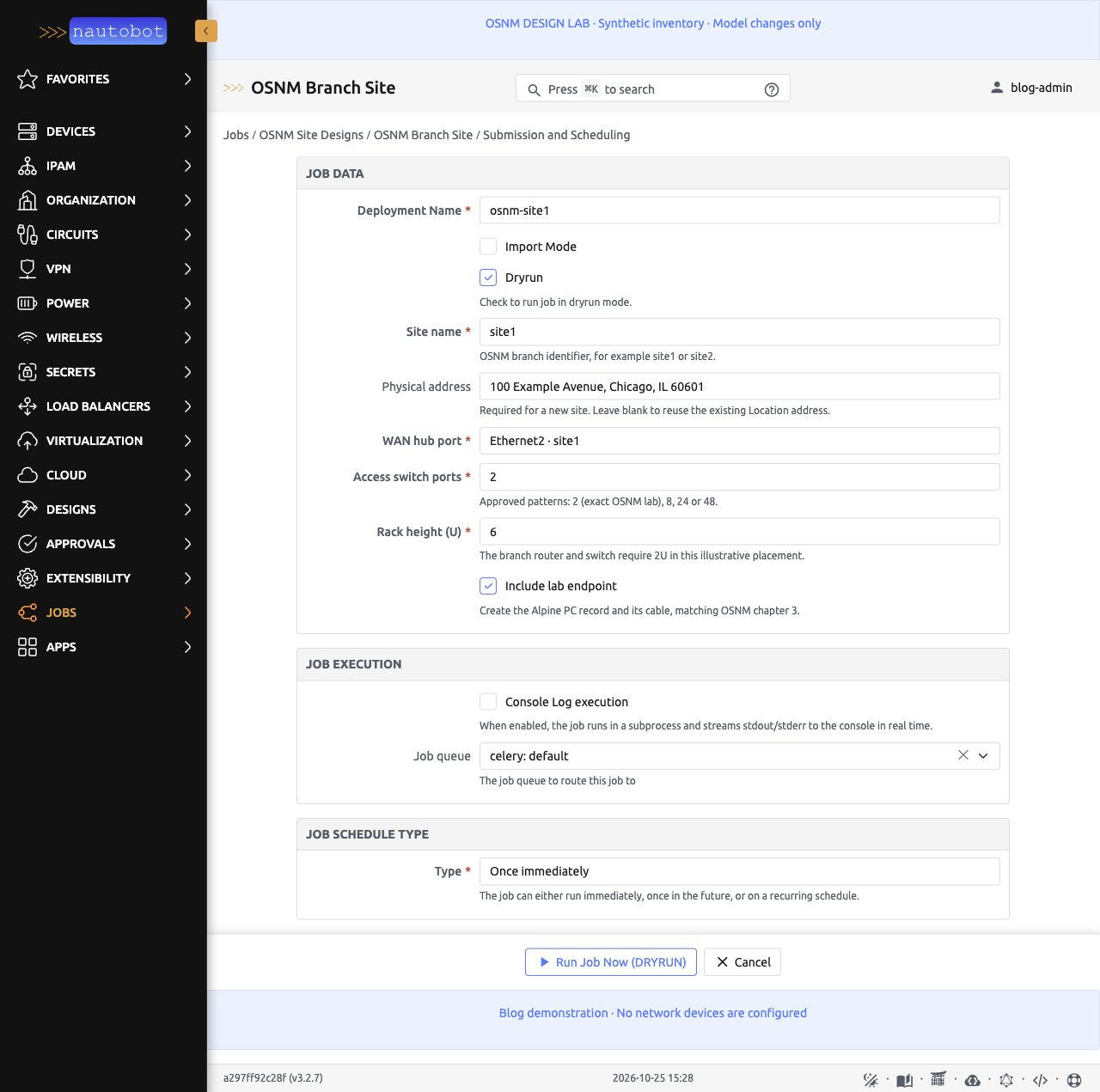
The native branch design form, including the physical address, with dry run enabled.
The street address was a big part of what caught my attention in the podcast. Here, we store it on the Nautobot Location alongside the site’s inventory. A new branch requires an address; on repeat runs, leaving it blank reuses the existing one.
A look at the Python and YAML #
The context resolves the address and checks the inputs before the template runs. Here are excerpts from the lab’s Python and YAML; the full source is linked below.
Python: reuse an address and check rack space
class BranchContext(Context):
    @property
    def site_address(self):
        address = (self.get("physical_address") or "").strip()
        if address:
            return address
        try:
            return Location.objects.get(
                name=self["site_name"], location_type__name="Branch"
            ).physical_address.strip()
        except Location.DoesNotExist:
            return ""

    def validate_site_pattern(self):
        if self["rack_units"] < 2:
            raise DesignValidationError(
                "The branch pattern needs at least 2U for its router and switch."
            )
Other validation checks require an address when none is stored, enforce the approved access-port patterns, and reject a WAN port connected to another site. Imports and the remaining methods are omitted here.
The YAML uses site_address to save the resolved value on the Location:
YAML: create or update the branch Location
locations:
  - "!create_or_update:name": "{{ location_name }}"
    location_type__name: "{{ location_type }}"
    status__name: "Planned"
    description: "OSNM enterprise topology / {{ location_name }} / synthetic blog lab"
    physical_address: {{ site_address | string | tojson }}
The filters quote the address for YAML, including embedded quotes and line breaks.
!create_or_update:name looks up an object by name, updating it if found or creating it otherwise. Using stable, unambiguous names lets repeat runs reuse the same objects. For interfaces, the lookup is scoped to the parent device.
The full template also uses !connect_cable to connect an interface to its peer. The Job enables CableConnectionExtension in Meta.extensions to handle that action.
You can download the full template or the runnable lab and Job source. The package includes the reference catalog needed by the design.
Dry run, then apply #
I ran the branch design in dry-run mode first. The Job retained its rendered YAML and logs, while inventory counts stayed unchanged. The final log entry says “No database changes made.”
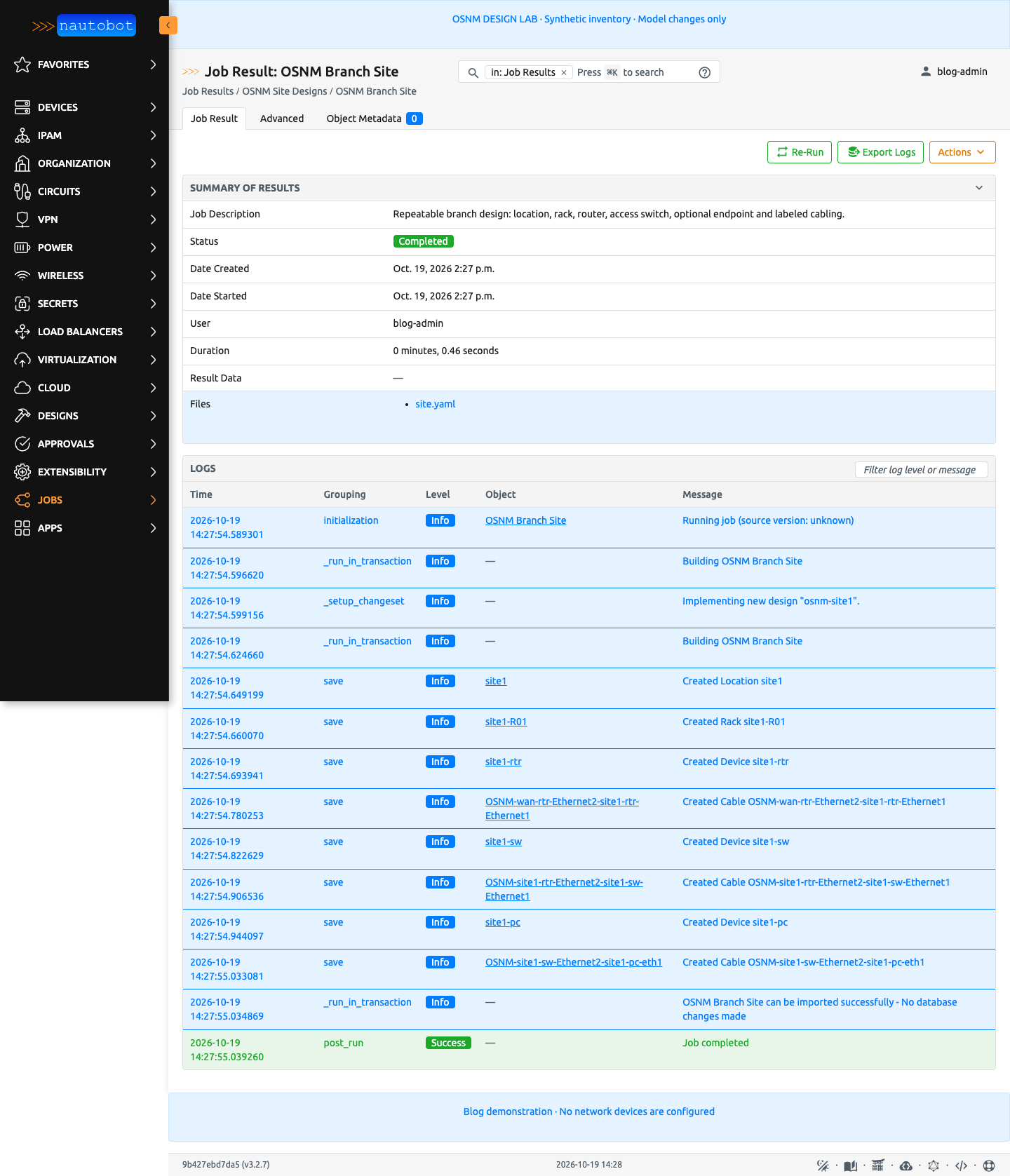
The “Created” entries describe work inside the transaction. Dry run rolled those inventory changes back.
After applying DC1, site1, and site2, Nautobot contained 3 locations, 3 racks, 13 device records, 26 interfaces, and 13 cables. Nine devices are network equipment and four are endpoints. I checked all thirteen cable pairs against the topology and re-ran site1 without creating duplicates. Invalid rack space and an occupied WAN port were also rejected without changing inventory.
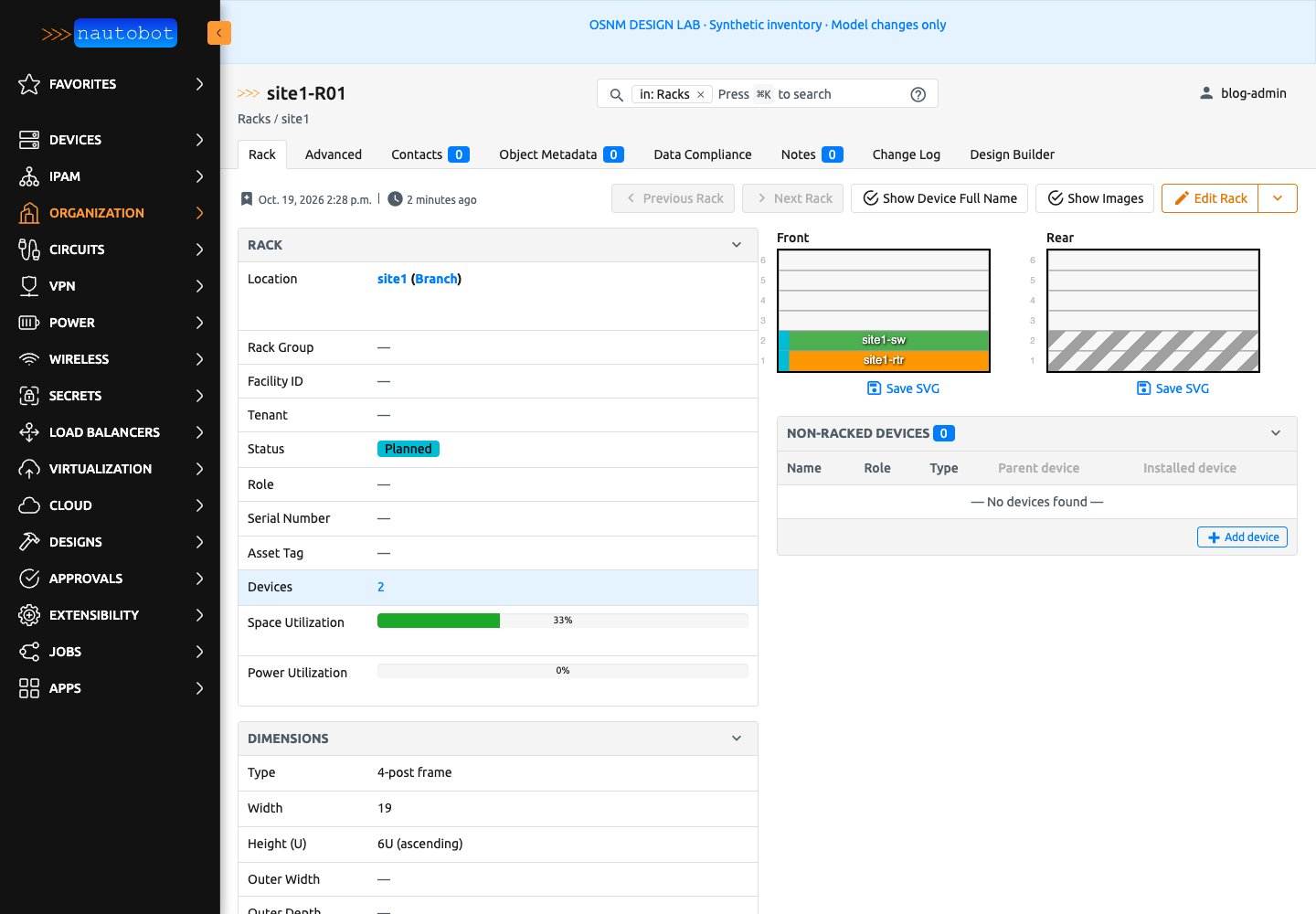
The generated site1 rack and elevation. The router and switch occupy two units in this illustrative 6U layout. The site1-pc endpoint belongs to the site1 Location and has no rack or position, so it does not appear here.
Repeat the design #
The branches use the same design with different inputs and separate deployment records. To enable that tracking, select Deployment mode with Meta.design_mode = DesignModeChoices.DEPLOYMENT; Classic mode is the default. The design lifecycle docs explain updates, ownership, and decommissioning.
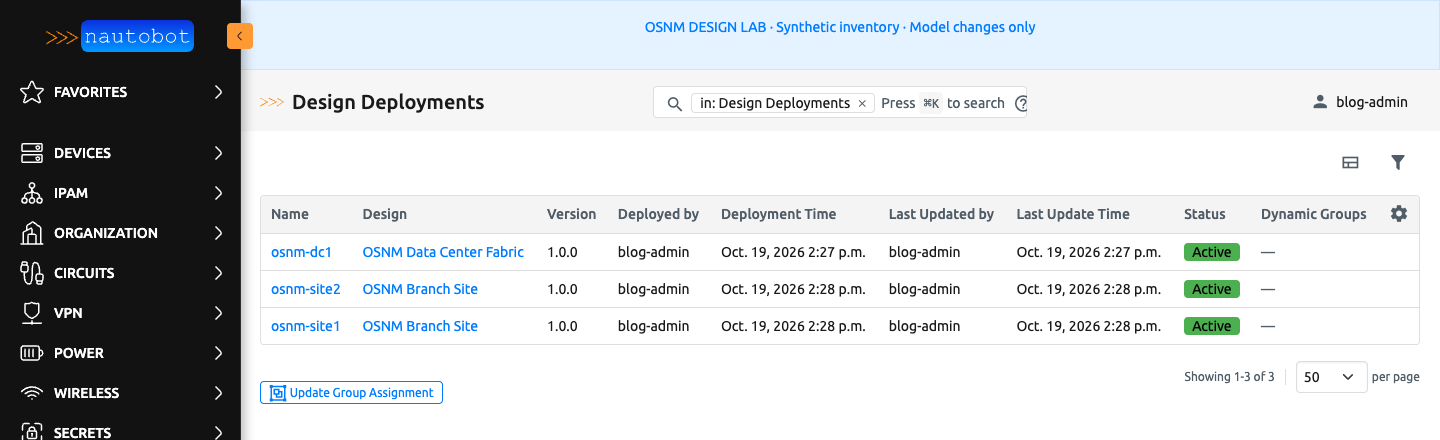
The three deployments: osnm-dc1, osnm-site1, and osnm-site2.
When updating a deployment, review what will be removed as well as what will be created. If you want to protect managed objects from manual edits, configure model protection; the protected-model list defaults to empty.
Where I would go next #
Native Job forms and dry-run output are a useful place to start. If I wanted a graphical topology preview or change comparison, I would build it inside a Nautobot App using the same design logic.
Before expanding the design, I would test capacity boundaries, duplicate names, missing catalog data, conflicting cabling, and changes to existing deployments. The Design Job testing guide provides a starting point. A physical design also needs checks for PoE, optics, cable reach, rack space, and power.
Device configuration remains a separate step after the intended state is in Nautobot. What I wanted to show here is the part before that: take a network pattern, make its rules explicit, and use it again for the next site. Design Builder gives us a practical way to do that.